Getting Started with Eclipse PHP Development Tools (PDT)

Eclipse Splash ScreenAre you ready to take a step beyond writing code in a text editor like UltraEdit, BBEdit, or TextMate? Would you like to see those PHP and JavaScript syntax errors in the editor, without transferring files to the server or opening a browser? If so, then you're ready to jump into the world of the IDE — Integrated Development Environment. I'll compare the free, open source Eclipse IDE to a few of its commercial competitors Then we'll go through the steps to install Eclipse PDT All-In-One, the Zend Debugger, JSEclipse, and Subclipse. Why an IDE? Let there be no mistake, I still love BBEdit and TextMate. I use both daily at work and at home for quick edits and I actually wrote this post in TextMate. But if you spend a good portion of your day writing PHP, an IDE will save you time in small increments by highlighting those unbalanced braces and missing semicolons, displaying PHP function arguments, and allowing you to debug your code right in the editor. There are commercial IDEs available and I've use a few of them. I tried an early version of Eclipse with the xored studio but the combo wasn't feature-rich and didn't perform as well as Zend Studio. I later switched from Zend to Active State's Komodo. I've been happy Komodo but it's sluggish performance on my PPC Mac drove me back to giving Eclipse another try. I started using Eclipse with PDT at work about a year and am amazed at how much PDT, formerly PHP IDE, has improved over the past four years. Eclipse is first a Java development environment, but extensions exist for a bunch of other languages, including Perl, Ruby, and Tcl. Okay, enough with the commentary, let's get to it, shall we?

Download and install Eclipse PDT All-In-One

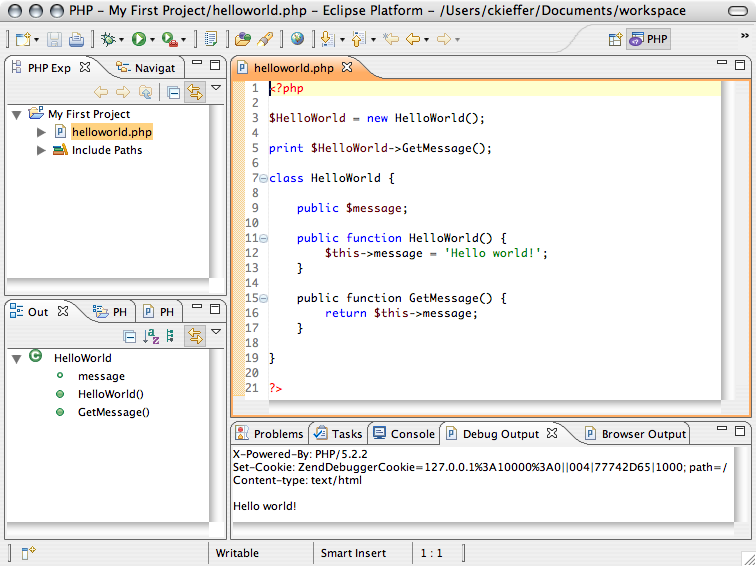
Installation couldn't be easier. Visit the Eclipse PDT download page, select a stable build link, scroll down to the PDT All-in-One section, and select the download for your platform. http://download.eclipse.org/tools/pdt/downloads/ Once the download is complete, unpack and move the 'eclipse' folder to your Applications or Program Files folder. Fire up Eclipse, create a new PHP file or project, and code away.
Install the Zend Debugger

Out of the box, Eclipse provides PHP syntax highlighting, code completion, PHP documentation, phpDoc support, and more. Local and server debugging, however, require the installation of XDebug or Zend Debugger extension. Here's how to enable local debugging with the Zend Debugger.

  1. Select Help->Software Updates->Find and Install
  2. Select Search for new features to install, click Next
  3. Click the New Remote Site button...
    1. Name: Zend Debugger
    2. URL: http://downloads.zend.com/pdt
  4. Zend Debugger now appears checked in the Sites to include in search list, click Finish
  5. The update manager searches for the files to download
  6. All Zend Debugger options should be checked on the Search Results screen, click Next
  7. Agree to the licensing terms, click Next
  8. Select the Zend Debugger in the Features to Install screen, you can change the install location, but the default is recommended, click Finish
  9. Verify the Zend Debugger on the Feature Verification screen, click Install All
  10. After installation you'll be asked to restart Eclipse for the changes to take affect

You should now have a PHP Debug Perspective, complete with variable tracing, breakpoints, and CLI and browser debug output views.

Install JSEclipse

To add improved JavaScript editing abilities to Eclipse, install JSEclipse from Adobe Labs. JSEclipse also provides editing support for popular JavaScript libraries, including YUI, Dojo, Prototype, and more. To install JSEclipse with the Update Manager

  1. Select Help->Software Updates->Find and Install
  2. Select Search for new features to install, click Next
  3. Click the New Remote Site button...
    • Name: JSEclipse
    • URL: http://download.macromedia.com/pub/labs/jseclipse/autoinstall/site.xml
  4. JSEclipse now appears checked in the Sites to include in search list, click Finish
  5. The update manager searches for the files to download
  6. Check the JSEclipse version check box on the Search Results screen, click Next
  7. Agree to the licensing terms, click Next
  8. Select JSEclipse in the Features to Install screen, you can change the install location, but the default is recommended, click Finish
  9. Verify JSEclipse on the Feature Verification screen, click Install All
  10. After installation you'll be asked to restart Eclipse for the changes to take affect

To create a new JS file, select New->File->Other->Web->JavaScript. You should now have code completion and error highlighting for JavaScript files.

Install Subclipse

To add support for Subversion revision management you'll need to install Subclipse from tigris.org, the developers of Subversion. To install, let's use the Update Manager again.

  1. Select Help->Software Updates->Find and Install
  2. Select Search for new features to install, click Next
  3. Click the New Remote Site button...
    • Name: Subclipse 1.2.x
    • URL: http://subclipse.tigris.org/update_1.2.x
  4. Subclipse now appears checked in the Sites to include in search list, click Finish
  5. The update manager searches for the files to download
  6. Check the Subclipse version check box on the Search Results screen. You may need to install dependent extensions for the Subclipse integrations (I didn't select integrations), click Next
  7. Agree to the licensing terms, click Next
  8. Select Subclipse in the Features to Install screen, you can change the install location, but the default is recommended, click Finish
  9. Verify Subclipse on the Feature Verification screen, click Install All
  10. After installation you'll be asked to restart Eclipse for the changes to take affect

To checkout an existing Subversion repository

  1. Select New->File->Other->SVN->Checkout Projects from SVN, click Next
  2. Create a New Repository, click Next
  3. Enter the URL for the SVN repository you want to checkout, click Next
  4. If the repository URL is secure, accept the SSL certificate
  5. Select the folder(s) to checkout
  6. Create a new Project, select the Project type, PHP Project in this case, click Next
  7. Enter a Project name, workspace, and any other project specific settings, click Finish
  8. You'll see an overwrite warning that any SVN repository files with the same names as Eclipse settings files, normally you shouldn't need to worry about this, click OK
  9. The project is checked out of the repository

I've just started to use some of the data integration and design extensions available for Eclipse and will post a followup soon. In the meantime, happy coding!

Related Links

filed under:

Comments

Detailed step-by-step guide for setting up PDT+XDebug

Here's a detailed step-by-step article for setting up a PHP debugger using PDT+XDebug and XAMPP:

http://robsnotebook.com/php_debugger_pdt_xdebug

Thanks for sharing Rob.

Thanks for sharing Rob.

I couldn't get the debugger

I couldn't get the debugger going in 1.0.3. I did some reading and found a number of things have changed in this version but couldn't find sufficient documentation to follow on. I will try again later when hopefully all the changes are well documented. Thanks for the article.

Publishing to the server

Unless I've missed something, I can't find a way to publish my files to my Apache server.

Does Zend do this for you? Based on the Help in Eclipse, it does not. And for me, as a newbie to PHP, it's really helpful to have the files publish right from my project in Eclipse.

Is there any word on if this is coming? Right now I'm keeping my files in a static web project, so they'll automatically publish to my server when I save them. And then I'll just copy them back when I need to use the debugger.

I have the same question. I

I have the same question. I cant get my PDT configured to have the files published to the Apache Web server directly. How did you use static web project to do this? Can you elaborate? thanks

Two methods to publish, probably others

@PHPn00b and @btm, I'm aware of two methods to publish project files. I use Subversion to manage revisions and to checkout updates on my production server and am very happy with the flexibility and power using version control provides.

@ragaskar commented on the RSE Eclipse plugin which might open up the possibility of publishing files from the command line via scp or ftp.

There may be other file publishing plugins that provide what you're looking for.

How to publish direct to the server

If the webroot is on your local filesystem, set the project directory to somewhere on your webroot - then Eclipse IS publishing to the server.

If not, get ssh or ftp access to the server (do Windows boxes support SSH? If not, your situation is starting to look pretty bad if the host is a Windows host).

In Linux you can use sshfs or ftpfs to mount a directory and then set that as your project directory - thus saving files directly to the remote server. Under KDE you might be able to take a shortcut using the kio protocol handlers.Under Windows I don't know how to actually mount the remote directories but you can synchronize them using a program like WinSCP or SmartSCVP.

So the answer in short is that yes, if you set the project directory correctly Eclipse publishges to the webserver by default. If you can't do that then you can at least emulate it.

thanx for your writing to

thanx for your writing to post, I like your web site and good lucky. Regards.

Whenever I open a file in

Whenever I open a file in php, it always opens in other editor(dreamweaver 8.0). The same thing happens when moving between php file tabs already in the workbench. So I m forced to work in dreamweaver editor.

Kindly provide the solution.

Change File Association on Windows

Open My Computer, and on the menu bar choose Tools -> Folder Options and take a look at the File Types tab. Scroll down on the registered file types and find and edit the .php extensions. Hope this helps.

Change editor file associations

You can change the editor associated with files that have a .php file extension. I don't recall how to do it on Windows, but on the Mac, select a PHP file, select Get Info, change the Open With value, and click the 'Change All...' button.

Debugger

I installed the all in one package for Windows and I can set breakpoints etc and there seems to be some mention in the settings that its using the zend debugger however I cannot get it to stop on the breakpoint. Do i still need to install the Zend debugger? I have seen contrasting documentation to say the all in one does containt the debugger and documentation that it doesn't.

Tutorial Eclipse PDT using Zend Debugger

Hello,

I've also been struggling with getting the Zend Debugger to work inside eclipse PDT but finally it works! I made a tutorial of 7 page's describing the installation/use of the Zend Debugger on a local Wamp 1.7.4 PHP server.

You can download the tutorial together with a eclipse PHP project 'debugtester' from http://www.kinetiek.com/files/download/debugtester.zip.

regards, Mike

Thanks Mike

Really useful tutorial :)

Yes, I believe so

Despite what you've seen to the contrary, I'd go ahead and install the debugger. If that doesn't work, perhaps you could try Xdebug.

why jsEclipse and not Aptana?

Thats the question, why using jsEclipse and not the Aptana plug-in for Eclipse?, I think is much complete

I hadn't tried Aptana. The

I hadn't tried Aptana. The fact that JSEclipse is developed by Adobe was appealing and JSEclipse seemed to have more Google-juice when I did my initial search for a JavaScript eclipse plugin. Can you share some of Aptana's features?

What's the difference in between phpeclipse ana pdt project?

Hi php gurus,
Since, I am new...to start my step with "which IDE on php?" is the big question?

What's the difference in between phpeclipse ana pdt project?

Which is one the latest and robust one and would recomended, like my java IDE - eclipse?

Please, help me to choose the best IDE for PHP base projects development?

Thanks in advance.

~S

I haven't used phpeclipse,

I haven't used phpeclipse, but I've talked with a friend about it. This friend tells me that phpeclipse provides more features than PDT. What he's noticed, however, is that PDT appears to be a more active project and more highly supported project. This article may help you in your decision making process: http://divby0.blogspot.com/2007/07/phpeclipse-vs-pdt.html

PDT on Ubuntu

I wanted to pass along the only way I found to get PDT installed and working on Ubuntu Gutsy...

I had no luck with the Eclipse from the Ubuntu repositories, and certainly no luck with anything related to GCJ. I've spent two days now on it.

What I did that finally appears to be working:
- remove all GCJ and Java stuff
- install Sun's 1.5 JDK
- download the J2EE Europa version
* ( at this point, Eclipse works) *
- add PDT as a new Remote Site to Eclipse's updater, and force it to download the files only from the PDT site itself (due to some bug with mirrors -- see http://dev.eclipse.org/blogs/wayne/2007/09/18/php-for-nothing/)

I then had PDT installed and working, and could then follow the instructions from this blog post for adding Subclipse and JSEclipse. I didn't bother with Zend Debugger, because I think PDT should be able to use xdebug ok.

Thanks

Thanks for sharing.

Thank you!!

Thank you!!
Your article in beautiful.

Code completion

Is the code completion functionality supposed to cover project-specific included classes as well? The PHPEclipse plugin seems to have a larger, more updated library for code completion then the PDT. Any thoughts on this?

Code completion relies on PHPdoc comments

AFAIK, if the class isn't documented PHPdoc-style, there's no code completion.

Code Completion relies on PHPdoc comments

I checked the .profile file, so I'm sure my project has got the PHP-perspective.
So I opened one of the files with a class and added a comment @method to the constructor, and @package just above the class declaration.
But I still get no code completion. Did I miss something?

By the way, thanks for a lot of good hints on this blog!

Did you also comment your class' member functions?

You need to comment function parameters and return values to full enable code completion. You should also comment class variables.


/**
* Method description
* @param datatype $arg1 Arg1 description
* @param datatype $arg2 Arg2 description
* @return datatype Return value description
*/
function myfunction($arg1, $arg2) {
...
}

Where is the PHP perspective? How to add PHP projects?

I have the same problem. No PHP Project under New. No php perspective is visible under Perspectives.
1) Cleaning doesn't help (i.e. starting with "eclipse -clean") so it's not a chaching problem.
2) Re-installing doesn't help.
3) installing eclipse Europa and adding PDT only doesn't help.

Does anybody have a clue?

Best wishes, Mike

Where is PHP perspective?

I installed everything to integrate php into eclipse and noticed that the php didn't appear directly in the new list. But did you happen to go File -> new -> other -> PHP

A new JRE worked for me

Just installed a new Java Runtime Environment. Now I see PHP perspectives in Eclipse and I can create a new PHP project.

JRE Version: 1.6.0_03-b05.

Maybe this might help for you too.

Good luck, Mike

Thank you, Thank you, Thank you

Installing latest JRE worked for me also. Nothing more frustrating then installing something new and having the simplest task not work.

java5 required

1.5.0_12-b04 works too
1.4.2_14-b05 doesn't work

after first start there was LOOOONG time to start eclipse but after that it's working nice and smooth even with php debugger.

thanks a lot for good plugin tip

Thanks for sharing

It's always nice to see someone return and share a solution to a problem.

Under ubuntu

I was put:
./eclipse -vm /opt/jdk1.6.0_03/jre/lib/i386/server/

and it's work ;)

PDT without the P

Same problem - no php Project under New, and opening a php file uses the old editing application. No php perspective is visible under Perspectives.

Using part of another distro

I copy the folder jre from easyeclipse-php-1.2.2.2 to pdt-all-in-one-1.0. Then i restart the pdt-all-in-one-1.0 and automagically appear the php perspective. :P

Just downloaded all in one...

...and there's nothing in any of the menus that would appear to be PHP enabled. I also ran the update to get the Zend debugger, thinking that might do something.

No code highlighting, no PHP-specific menu entries or choices, nada. It looks like a raw Eclipse install to me.

What am I missing?

Just started using this PDT

Just started using this PDT thingy. Noticed that JRE must be 1.5 or PDT won't show up in your menus. If your system JVM is 1.4, you can start Eclipse with -vm PATH_TO_JRE_1.5 and you will be fine.

That's odd...

Do you see a PHP and PHP Debug perspective under Window->Open Perspective->Other...?

PDT and Zend's IDE remind me

PDT and Zend's IDE remind me why I absolutely abhor Java Applications. Slow, bloated, and buggy is the order of the day (at least on my 1.3ghz PPC Mac).

PDT regularly consumes up to 350mb plus of memory on my machine.

Fair enough

This is true of many Java applications on the Mac, especially PPC. Eclipse is much faster on my Intel mac at the day job than it is on my 2Ghz/2Gb RAM PPC at home. I don't notice many, if any bugs, but Eclipse does launch and load slowly. Once it's running, I don't have any major complaints.

For "Mylyn Integration"

For "Mylyn Integration" plug-in that may be usefull visit
http://wiki.eclipse.org/index.php/Mylar_User_Guide#Download

I had seen the Mylyn project, but

had never looked into what it is. For those who aren't familiar, Mylin provides a task-focused UI for Eclipse. It does this by providing perspectives that integrate task lists from popular task/bug tracking systems including Bugzilla and Trac. Maybe Mylin will be the kick in the pants I've needed to start using Trac's task manager.

Mylin appears to also work with SourceForge tracker items.

JsEclipse

The url of JsEclipse is changed. Try http://labs.adobe.com/technologies/jseclipse/

I'm not sure what you mean

That is the link to visit the JSEclipse home page but it isn't the link to install JSEclipse with the Eclipse Update Manager. The JSEclipse Update site is still http://download.macromedia.com/pub/labs/jseclipse/autoinstall/ and althought there are no updates available currently, it seems to work just fine when accessed from Eclipse.

rse with eclipse

Have you managed to get RSE (remote system explorer) working with projects in eclipse? The way we develop, it is a little more efficient for us to directly edit files on a test site, then check them into SVN (making checking out a local copy less than ideal). RSE allows eclipse to acquire files via SCP, but i've had trouble getting it to function properly within a project (which would give me one of my holy grails -- CTRL CLICK declaration finding!!! when i saw that feature in eclipse I knew I was eventually going to switch). I've used Zend, NuSphere PHPEd, and a bunch of also rans, and eclipse is definitely the most featureful.

The other thing preventing me from switching is the crazy memory bloat -- on the computer I work on, eclipse grabs up to 100M mem right away (due to the java virt machine, I'm assuming), whereas PHPEd runs happily at 16M (to be fair, Zend was a huge memory consumer too). Wondering if eclipse runs a little less heavily on a linux platform.

Finally installed RSE...

Hey ragaskar, I finally installed RSE. Thanks for the pointer. It seems to work just fine on my PPC Mac with Eclipse 3.3. The SFTP and shell are great. I was able to connect via shell to my web host and svn update site updates. Very nice!

Haven't tried RSE yet...

... it sounds useful. I'll try it out and let you know if I'm able to install.

Other team members at my day job use PHPEd. I've used it a few times via terminal server and have been impressed, it's really fast.

Java-based apps have improved, but still have a ways to go in the performance department. I hope to get an Intel-based Mac later this year and expect that Eclipse's performance will improve. I understand that Komodo's faster on Mactel (also Java based, like Zend and Eclipse).

Use phpDoc for quick code navigation

- Code navigation / auto-completion:

Don't forget to add phpDoc to all your methods, else you'll miss one of the more productive features of PDT: code hyperlinks / navigation.

PDT depends on the author annotating the @param and @return data-types because of PHP's loose typing.

One thing I noticed though is that this doesn't seem to work if the return type is an array.

And one thing that is still better in PHPEclipse is that its code-autocompletion / navigation lists all candidates. PDT doesn't offer any option if it doesn't know what type a specific variable is. It would be very nice if would degrade from its accurate data-type specific autocompletion/navigation to all possible candidates.

- Code formatting:

And the one big missing feature in PDT is probably better/more code-formatting options. Java-coding has become much more productive in Eclipse 3 with the configurable code style formatter. Too bad that it isn't available for PHP or other languages yet.
It's quite painful to indent every 2nd line manually.

cssBuilders?

Great article , sent it to a friend to get him started on PDT which I use daily.
Quick question though since all of you seem to know a lot

I followed the guide at

Auto-complete and Code Assist in Eclipse

to enable code assisting for JS and PHP on PDT , I recall having Code Assist for CSS files , maybe through Aptana or something but I can't find it , is there someone who can push me in the right direction?

Excellent points

Thanks Andy, adding phpDoc is something developers should do anyway and the extra incentive is code completion feature for documented classes and functions.

I do hope that PDT adds code formatting options similar to those added Eclipse 3.3 for Java.

copyright © 2011, 2 tablespoons | Privacy Policy